Create Everything.
AI → CAD → Production
Design parametric 3D models with AI, validate with simulation, and go straight to manufacturing. Build and publish 3D configurators along the way — no programming required.

Snap-Together Smart Objects
Spin up a master project and plug in subprojects like modular blocks—everything clicks into place automatically. Dive into our huge project library, drag what you need into your own sheet, and confBuild instantly renders a live 3D scene.
- Huge component library
- Modular subprojects
- Instant 3D preview

AI Magic
Type your prompt—confBuild's AI auto-builds the spreadsheet and conjures an interactive 3D model in seconds. Pure magic. No programming needed.
- Natural language prompts
- Auto-generated spreadsheets
- Instant 3D models
Photorealistic Rendering
Generate stunning photorealistic images in seconds with confBuild. Bring your 3D models to life instantly, turning concepts into visuals that look real. Perfect for presentations, product showcases, or design validation—fast, simple, and professional.
- One-click rendering
- Professional quality
- Multiple export formats

From idea to finished product
AI-powered design, simulation, and manufacturing in one platform
Excel-Based Interface
Copy/paste from Excel, use familiar formulas. 95% of spreadsheet formulas supported.
Modular Components
Snap-together smart objects from a huge library. Combine like building blocks.
AI-Powered Creation
Type prompts to auto-generate spreadsheets and 3D models instantly.
Photorealistic Rendering
Create professional visuals from your 3D models in seconds.
Project Library
Access and import pre-built components and subprojects from a growing library.
Simulate & Optimize
Validate designs with built-in simulation before manufacturing. Optimize automatically.
Built for every industry
From engineering to education, confBuild powers 3D workflows across sectors

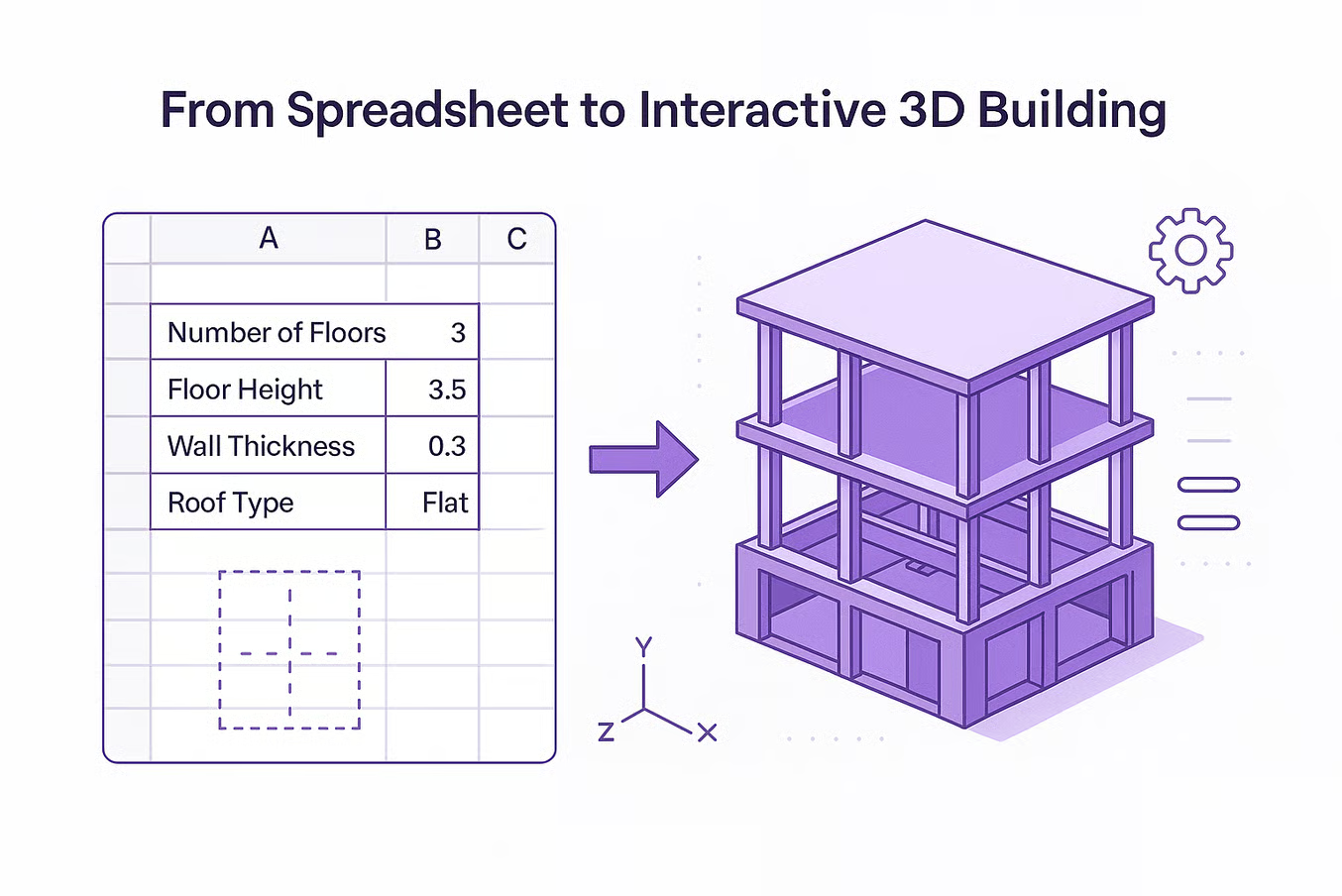


From idea to production-ready 3D model
A simple workflow powered by AI and your existing Excel skills
Define Parameters
Enter dimensions, materials, and properties in a familiar spreadsheet. Copy/paste from Excel or use AI to generate.
Add 3D Components
Choose from our library of smart objects or import your own 3D files from any CAD software.
Connect & Configure
Link parameters to your 3D model. Use formulas to create dynamic relationships between components.
Publish & Produce
Export for manufacturing, publish as a 3D configurator, or embed directly into your website. From CAD to production in one flow.
3D Modelling Made Easy
Create stunning 3D models effortlessly with our intuitive, user-friendly tool for everyone.
- Copy & Paste from and to Excel
- Enter formulas like in Excel
- 95% of known Spreadsheet Formulas supported
Build & Publish Configurators
Easily create interactive 3D configurators and embed them anywhere — like snapping Lego blocks together.
No Programming Needed
Design 3D models and products using just basic Excel knowledge, no coding required.
