Products

Product Design

Showcase consumer goods, merchandising items, and custom products in brilliant 3D detail.

Configurable product model with options and commerce output cards
2x Conversions
360° View
Web Embeddable
Sales

Product configurators built for buying decisions

Product design pages need to connect interactive 3D, personalization, commerce, and downstream files. confBuild helps customers see the exact product while teams keep the configured result usable.

Present the product Show options, variants, materials, and details in a focused 3D experience.
Support personalization Connect customer choices to valid product logic and pricing.
Finish the sale Send configured output into cart, quote, production, or documentation workflows.

A product experience from preview to order

Shape product design around confident buying decisions, reliable handoff, and reusable downstream data.

  1. 01
    Load product logic

    Define options, variants, colors, components, and constraints.

  2. 02
    Let customers explore

    Use interactive 3D to make choices visible and confident.

  3. 03
    Connect commerce

    Send price, option state, and configuration data to the store or quote flow.

  4. 04
    Export deliverables

    Create imagery, model exports, print files, or order documentation.

Handoff

Connect product preview to ordering

Product teams can use the same configured state for the customer preview, price logic, commerce handoff, and reusable visual assets.

Confident selection Let customers see the exact variant, personalization, and option state before they commit.
Commerce-ready data Pass selected options, pricing context, and valid combinations into quote or checkout flows.
Reusable assets Create product visuals and export files from the same source of truth.
Connect product preview to ordering
Sales

Product Experiences With Useful Data Behind Them

Replace static galleries with a focused 3D buying flow that also preserves variant data for commerce, marketing, and production.

01

Configurable Product Logic

Model colors, components, materials, sizes, personalization, and valid option combinations so customers only see choices your team can deliver.

  • Variant rules
  • Material options
  • Personalization
02

Embeddable 3D Preview

Place the configurator inside product pages, quote flows, or campaign pages with a visual experience that stays focused on the object being sold.

  • Responsive embed
  • Fast visual preview
  • Saved state
03

Commerce and Quote Handoff

Send selected options, pricing context, personalization data, and configuration IDs into cart, quote, or sales workflows.

  • Cart data
  • Quote context
  • Order metadata
04

Reusable Product Assets

Generate consistent renders, export files, and product documentation from the same configured state used in the customer journey.

  • Marketing visuals
  • Export files
  • Documentation
Outputs

Product outputs beyond the preview

A configurator should support marketing, sales, and downstream production.

Interactive product view A focused 3D configurator that can be embedded on a product page.
Variant data Selected options, personalization, and valid combinations.
Commerce handoff Cart, quote, and pricing data for the chosen configuration.
Marketing assets Consistent renders and visuals generated from the same model.
Best fit

Best fit

  • E-commerce products with visible options and personalization
  • Sales teams replacing static galleries with interactive 3D
  • Product teams needing configured data after checkout
Examples

Product Configurator Use Cases

Use 3D configuration where customers need confidence and teams need the selected variant afterward.

Product Design example: Personalized Consumer Products

Personalized Consumer Products

Let customers choose colors, parts, engravings, or accessories while keeping the selected option state structured.
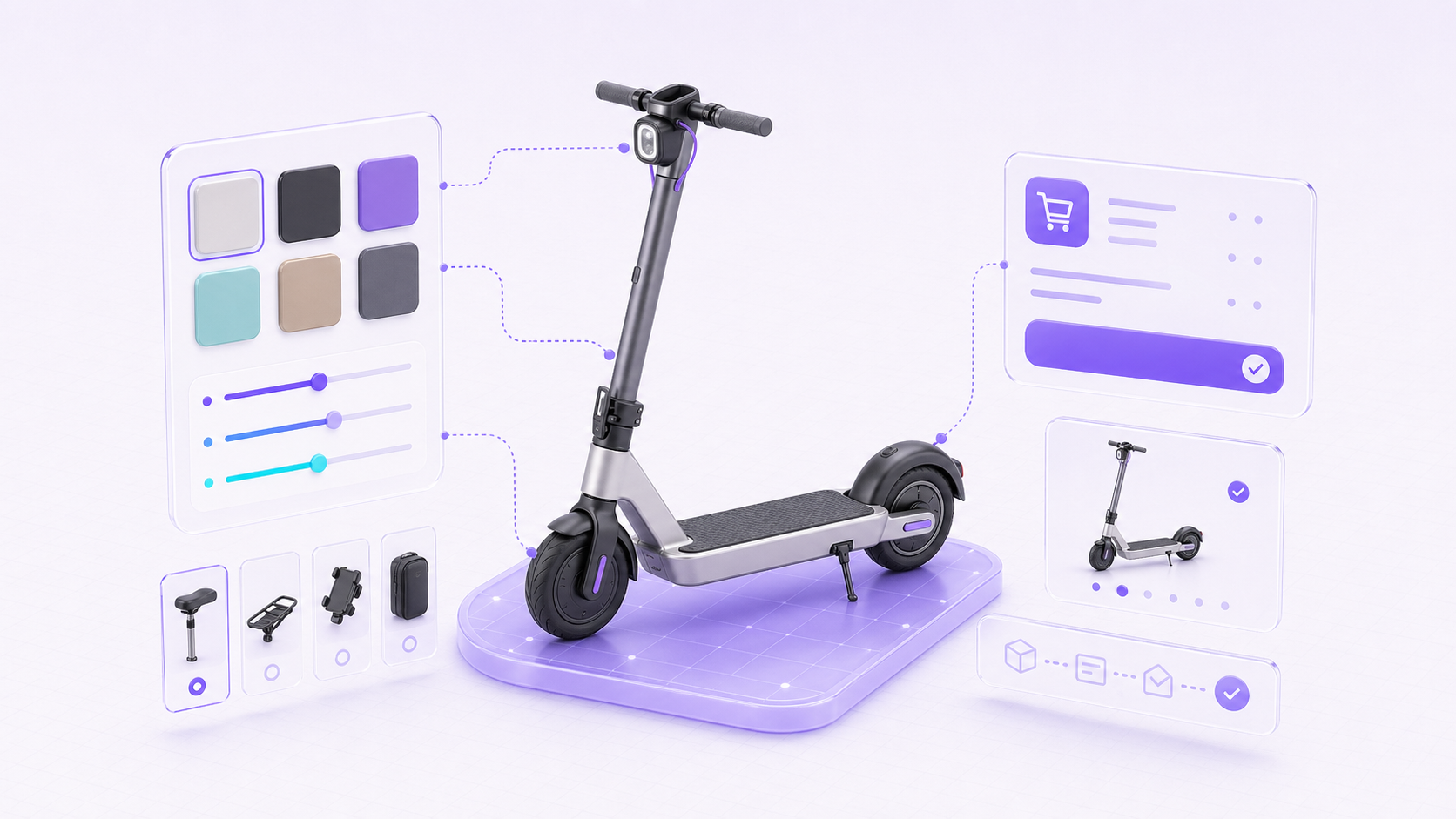
PersonalizationVariants3D preview
Product Design example: E-Commerce Product Builders

E-Commerce Product Builders

Embed a focused product configurator that sends price, option, and cart context into the buying flow.

CartQuoteCheckout
Product Design example: Marketing and Export Assets

Marketing and Export Assets

Create consistent product visuals and deliverable files from the same model used for the customer preview.

RendersExportsAssets

Ready to show off your products?